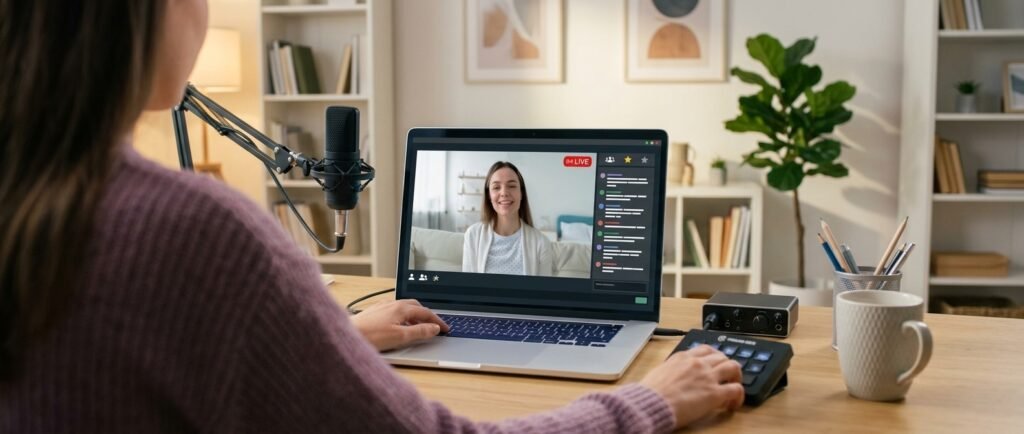
Learning how to start streaming on YouTube can feel discouraging at first. You hit record on your first stream, and… three people show up. One of them is your cousin. This is normal, and it happens to almost everyone who starts.
The good news is that going from zero to your first 100 followers depends more on consistency and setup than on luck or expensive gear.
Here’s a realistic roadmap for getting your channel live, figuring out what to stream, and actually building an audience that sticks around.
Understand YouTube’s Actual Live Streaming Requirements
A lot of confusion around starting a stream comes from outdated information. You don’t need thousands of subscribers to go live—that rule only applies to streaming directly from the YouTube mobile app, which currently requires around 50 subscribers.
If you stream from a desktop browser or use encoder software like OBS, there’s no subscriber minimum at all. You just need a verified channel, and you’ll need to wait 24 hours after enabling live streaming for the first time before you can actually go live. That wait period catches a lot of first-timers off guard, so enable the feature a day or two before your planned first stream.
Your channel also needs a clean record—no active streaming restrictions from the past 90 days—which won’t be an issue for a brand-new channel. Once you understand these rules, learning how to start streaming on YouTube comes down to preparation and consistency.
Step-by-Step: How to Start Streaming on YouTube
1. Verify Your Channel and Enable Live Streaming on YouTube
Head to YouTube Studio, go to the live streaming settings, and verify your account with a phone number if you haven’t already. Enable live streaming and start the 24-hour clock.
2. Choose Your Streaming Method
The simplest way to start streaming on YouTube is straight from a desktop browser with your webcam. For beginners, streaming straight from a desktop browser using your webcam is the simplest option. It requires no extra software and gets you live fastest. Once you’re comfortable, encoder software like OBS gives you more control over overlays, scenes, and multiple camera angles.
3. Pick a Live Stream Format You Can Repeat Weekly
Random one-off streams don’t build an audience. Viewers come back when they know what to expect—a weekly gaming session, a Q&A, a tutorial series, or a behind-the-scenes look at a project you’re working on. If you’re covering live events or commentary-style content, it can help to study how established live formats are structured, the same way outlets like ARY News approach live streaming — consistent timing and a clear structure make a big difference in retention.
4. Promote Before You Go Live, Not Just During
Post a short teaser or countdown on your other social channels a day before your stream. Even a small heads-up gives people a reason to show up instead of stumbling onto your stream by accident.
Realistic Ways to Reach Your First 100 Followers
Getting to 100 subscribers is less about virality and more about small, repeatable actions.
- Combine Short-Form and Live Content
Combine short-form and live content. When you start streaming on YouTube, clips from your streams make great short vertical videos that bring in new viewers. If you haven’t already, it’s worth looking into building a profitable YouTube Shorts channel as a feeder for your live audience. - Engage During the Stream Itself
- Read out usernames, respond to chat questions by name, and thank people for showing up. Early viewers who feel noticed are far more likely to subscribe and return.
- Cross-Promote from Platforms Where You Already Have an Audience
If you’ve built any kind of following elsewhere—even casually—it’s worth applying those same audience habits to YouTube. The shift from passive scrolling to actual income and community, like the one described in turning a TikTok habit into income, often follows the same pattern: show up consistently, and the audience compounds over time. - Stay in a Consistent Time Slot
Viewers build habits around schedules. Streaming at random times each week makes it harder for people to plan around your content.
Common Mistakes When You Start Streaming on YouTube
Most people who start streaming on YouTube make the same few errors, and all of them are avoidable. Some of them are:
- Over-investing in gear before content. A decent webcam and mic matter more than an expensive camera setup. Get comfortable on camera first.
- Streaming inconsistently. One stream a month won’t build momentum. A shorter, weekly stream beats a long, sporadic one.
- Ignoring the chat. Even with three viewers, engagement is what turns a passive watcher into a subscriber.
- Trying to do everything at once. Pick one format and one schedule, and give it a real trial run — at least a month — before deciding it’s not working.
Final Thoughts On Live Streaming On Youtube
Your first attempt at how to start streaming on YouTube won’t look like the polished setups you see from bigger creators, and that’s fine. What actually moves the needle toward your first 100 followers is showing up on a predictable schedule, engaging with whoever’s watching, and using short-form clips to pull in new viewers between streams. The technical setup is the easy part—consistency is what separates channels that grow from ones that quietly stop streaming after a few weeks.