
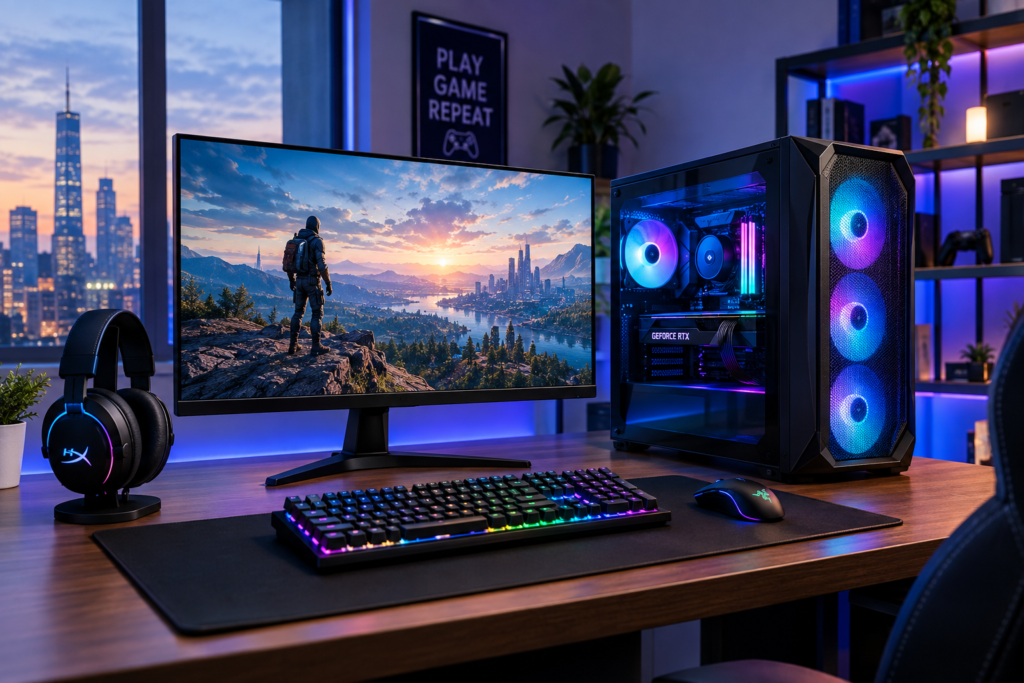
Buying a gaming PC can get confusing fast. One desktop may have a powerful graphics card but limited storage. Another may offer plenty of memory but use an older processor.
The right choice depends on the games you play, your monitor, and how much you want to spend.
For most US buyers, the goal is not simply to find the most expensive PC. A better approach is to match the hardware with your gaming needs. That means looking closely at the graphics card, processor, memory, storage, cooling, and upgrade options.
This guide covers some of the strongest gaming desktop options available to US shoppers in 2026. It also explains what to look for before you place an order.
What makes a gaming PC worth buying in 2026
The graphics card still plays a major role in gaming performance. Current NVIDIA GeForce RTX 50 Series graphics cards use the Blackwell architecture and support features such as DLSS, ray tracing, and frame generation. (NVIDIA)
The RTX 5060 provides 8GB of GDDR7 memory. The RTX 5070 provides 12GB, while the RTX 5070 Ti increases that to 16GB. Higher end systems can move into RTX 5080 or RTX 5090 territory. (NVIDIA)
A strong gaming processor also matters, especially in games that rely heavily on CPU performance. AMD’s Ryzen 7 9800X3D, for example, uses 3D V Cache technology and has eight cores with 16 threads. (AMD)
Memory and storage matter too. A PC with enough RAM and a fast NVMe SSD can make everyday use smoother and reduce the need for immediate upgrades.
Best budget gaming PC for 2026
HP OMEN 16L Gaming Desktop
The HP OMEN 16L is a practical option for buyers who want a compact gaming desktop without moving straight into premium pricing.
HP currently lists OMEN 16L configurations with NVIDIA GeForce RTX 5060 graphics, 16GB or 32GB memory, and 1TB SSD storage. Some configurations use an Intel Core Ultra 7 265F processor, while other versions use AMD Ryzen processors. (HP)
The RTX 5060 uses 8GB of GDDR7 memory and supports DLSS features and ray tracing. NVIDIA lists a 550 watt recommended system power requirement for RTX 5060 systems. (NVIDIA)
This type of configuration makes sense for gamers who mainly play at 1080p and want room to move into higher settings or resolutions later.
A 16GB memory configuration can work well for gaming. A 32GB configuration offers more headroom for multitasking, streaming, and demanding applications.
Who should consider it
The OMEN 16L fits buyers who want a smaller desktop, current generation graphics, and a straightforward prebuilt setup.
It can also suit students and first time PC gamers who do not want to build a computer from individual components.
Best balanced gaming PC for most players
HP OMEN 35L Gaming Desktop with RTX 5070
The OMEN 35L sits higher in the range and offers significantly stronger hardware options.
HP currently lists an OMEN 35L configuration with an Intel Core Ultra 7 processor, 32GB of memory, 1TB SSD storage, and an NVIDIA GeForce RTX 5070 with 12GB of GDDR7 memory. (HP)
HP also offers OMEN 35L systems with AMD Ryzen processors and RTX 5070 Ti graphics with 16GB of GDDR7 memory. (HP)
The RTX 5070 is a particularly interesting choice for gamers who want to move beyond basic 1080p gaming. NVIDIA lists 12GB of GDDR7 memory, a 250 watt total graphics power rating, and a 650 watt recommended system power requirement. (NVIDIA)
The OMEN 35L is also worth considering when you want one machine for gaming and other demanding tasks.
What makes this class of PC useful
A mid range gaming desktop can give you more flexibility than a basic system.
You can play demanding games at higher settings, use a high refresh rate monitor, and keep more background applications open without relying entirely on low graphics settings.
The exact experience still depends on the game, resolution, graphics settings, and driver support.
Best premium gaming PC
Alienware Aurora Gaming Desktop
Alienware remains a notable option for shoppers looking for a more premium prebuilt gaming desktop.
Dell currently lists the Alienware Aurora with configurations ranging from RTX 5060 options to RTX 5080 graphics. One current configuration includes an Intel Core Ultra 7 265F processor, RTX 5070 graphics, 32GB of DDR5 memory, and a 1TB NVMe SSD. (Dell)
Dell also lists an Aurora configuration with an Intel Core Ultra 9 285K processor, RTX 5080 graphics, 32GB of DDR5 memory, and a 2TB NVMe SSD. (Dell)
The Aurora is designed as a mid sized gaming tower. Dell highlights optimized airflow and options that include liquid cooling on higher configurations. (Dell)
A current RTX 5070 Aurora configuration was listed by Dell at $2,229.99 when checked for this article. Prices and promotions can change, so buyers should verify the final configuration before purchasing. (Dell)
Who should choose a premium prebuilt
This category makes sense for buyers who want a ready to use machine and prefer established manufacturer support.
It can also appeal to people who want a cleaner upgrade path without managing every component themselves.
Best high end gaming PC
ASUS ROG G700 with RTX 5090
High end gaming changes the equation. Once you move into RTX 5090 systems, the price rises sharply, but so does the available graphics hardware.
ASUS currently lists ROG G700 desktop configurations with an NVIDIA GeForce RTX 5090, Intel Core Ultra processors, Windows 11 Home, and 2TB PCIe 4.0 NVMe storage. (ASUS Global)
NVIDIA lists the RTX 5090 with 32GB of GDDR7 memory and 21,760 CUDA cores. (NVIDIA Marketplace)
This class of PC is aimed at enthusiasts who want very high graphics performance and are comfortable spending substantially more on their system.
The RTX 5090 is not necessary for every gamer. For many buyers, stepping down to a lower tier can provide a much more practical balance between cost and performance.
Another high end option from Alienware
Alienware Area 51 Gaming Desktop
Dell also offers the Alienware Area 51 for shoppers who want a larger, enthusiast focused desktop.
Dell currently lists Area 51 configurations with processors such as the Core Ultra 7 265K and Core Ultra 9 285K. Graphics options include RTX 5070 and RTX 5090 configurations. One listed RTX 5090 system includes 64GB of DDR5 memory and a 4TB NVMe SSD. (Dell)
This type of configuration is aimed at buyers who want substantial memory and storage alongside very high end graphics hardware.
The important point is simple. You should not pay for this level of hardware unless your games, monitor, or other workloads actually benefit from it.
How much should you spend on a gaming PC
There is no single budget that works for everyone.
A lower cost gaming desktop can be enough for competitive games and many popular titles at 1080p.
A mid range system makes more sense when you want stronger graphics settings, higher frame rates, or better performance at 1440p.
Higher end systems become more relevant when you want high resolution gaming, demanding ray tracing workloads, content creation, or enthusiast level performance.
Before shopping, decide what you want from the PC.
Ask yourself three questions.
What resolution will you use?
What games will you play most?
How long do you want the system to remain competitive before upgrading?
These answers can prevent you from spending money on hardware you will never fully use.
How to choose the right graphics card
The graphics card should receive most of your attention when comparing gaming desktops.
NVIDIA’s current RTX 50 Series includes the RTX 5060, RTX 5060 Ti, RTX 5070, RTX 5070 Ti, RTX 5080, and RTX 5090. These products vary considerably in memory, power requirements, and performance. (NVIDIA)
For a more affordable gaming build, an RTX 5060 system can be a sensible starting point.
For more demanding gaming, an RTX 5070 system provides more graphics memory and higher performance potential.
The RTX 5070 Ti provides 16GB of GDDR7 memory. This can be useful for buyers who want additional graphics memory without moving all the way to an RTX 5090 system. (NVIDIA)
The mistake is choosing a GPU based only on its model number.
Always check the actual configuration inside the PC. Two desktops can carry the same graphics card while using different processors, memory, cooling systems, and power supplies.
How much RAM do you need
For a new gaming desktop, 16GB can still serve as a reasonable starting point.
A 32GB configuration gives you more breathing room for multitasking, browser tabs, streaming, creative applications, and newer games.
This is one reason many current prebuilts in the upper range use 32GB. Current OMEN 35L and Alienware Aurora configurations listed by their manufacturers include 32GB memory options. (HP)
Check whether the desktop uses two memory modules or a single module. Dual module configurations can provide better memory performance on supported platforms.
Why SSD storage matters
A gaming PC should use SSD storage rather than relying on an older mechanical hard drive as its main drive.
An NVMe SSD is particularly useful for Windows, applications, and game installations.
One terabyte is a practical starting point for many gamers, but your needs can grow quickly. Large modern game libraries can consume storage faster than expected.
Current systems such as the Alienware Aurora and OMEN 35L are available with 1TB or larger NVMe SSD configurations. (Dell)
Check the number of available M.2 or storage expansion slots before buying. An easy upgrade path can save money later.
Do you need a liquid cooled gaming PC
Not necessarily.
A good air cooled system can work well when the processor and graphics card are matched with a suitable case and cooling system.
Liquid cooling can become more useful with higher end processors and systems that generate significant heat.
Dell offers the Alienware Aurora with air cooling and multiple liquid cooling configurations, including options with a 240mm liquid cooler. (Dell)
Do not choose liquid cooling simply because it looks more advanced. Look at the entire system and its cooling design.
What to check before buying a gaming PC
Check the complete specifications
Do not stop after seeing the graphics card.
Review the processor, memory, storage, motherboard, power supply, cooling system, wireless connectivity, and available expansion options.
Check the power supply
A stronger graphics card requires an appropriate power supply.
NVIDIA lists a 550 watt recommended system power for RTX 5060, 650 watts for RTX 5070, and 750 watts for RTX 5070 Ti reference configurations. (NVIDIA)
Prebuilt manufacturers can configure systems differently, so always check the exact specification of the desktop you intend to buy.
Check Windows compatibility
Windows 11 requires a compatible 64 bit processor, at least 4GB of RAM, at least 64GB of storage, UEFI firmware with Secure Boot capability, and TPM 2.0. (Microsoft Learn)
Modern gaming desktops generally meet these requirements, but checking the specification remains worthwhile when buying older or refurbished hardware.
Common gaming PC buying mistakes
Spending too much on the processor
Gamers sometimes choose an expensive CPU while cutting back too far on the graphics card.
For gaming, the GPU often deserves more attention, especially when playing at higher resolutions.
Buying too little storage
A small SSD can feel adequate during the first week and frustrating a few months later.
Think about your existing game library before choosing the drive size.
Ignoring upgrade options
A closed or difficult to upgrade system can become limiting later.
Check the case size, motherboard options, memory capacity, storage slots, and power supply before purchasing.
Paying for features you do not need
RGB lighting, premium cases, oversized cooling systems, and extreme components can raise the price without improving your actual gaming experience.
Focus on the components that affect your games.
Which gaming PC should you choose
For buyers seeking a more affordable entry point, the HP OMEN 16L with RTX 5060 offers a current generation platform with options for 16GB or 32GB memory and 1TB SSD storage. (HP)
For gamers looking for a stronger all around system, the HP OMEN 35L with RTX 5070 provides a higher performance tier and current configurations with 32GB memory. (HP)
For premium buyers, the Alienware Aurora offers configurations that reach the RTX 5080 level and include higher end processors, additional storage, and optional liquid cooling. (Dell)
For enthusiasts who want the highest tier of graphics hardware, ASUS ROG G700 and Alienware Area 51 configurations can be built around the RTX 5090. (ASUS Global)
The most suitable option depends on your budget, monitor resolution, favorite games, and plans for future upgrades.
Final thoughts
The best gaming PCs in the USA are not necessarily the machines with the biggest specifications.
A good gaming desktop should match its hardware to your actual needs. A well balanced RTX 5060 or RTX 5070 system can make more sense than an expensive enthusiast PC for many players.
Start with your gaming resolution and budget. Then compare the graphics card, processor, RAM, storage, cooling, and upgrade options.
Also check the exact configuration before ordering. Manufacturers frequently change prices, promotions, and available components.
That approach can help you avoid overspending while still getting a gaming PC that fits the way you actually play.