
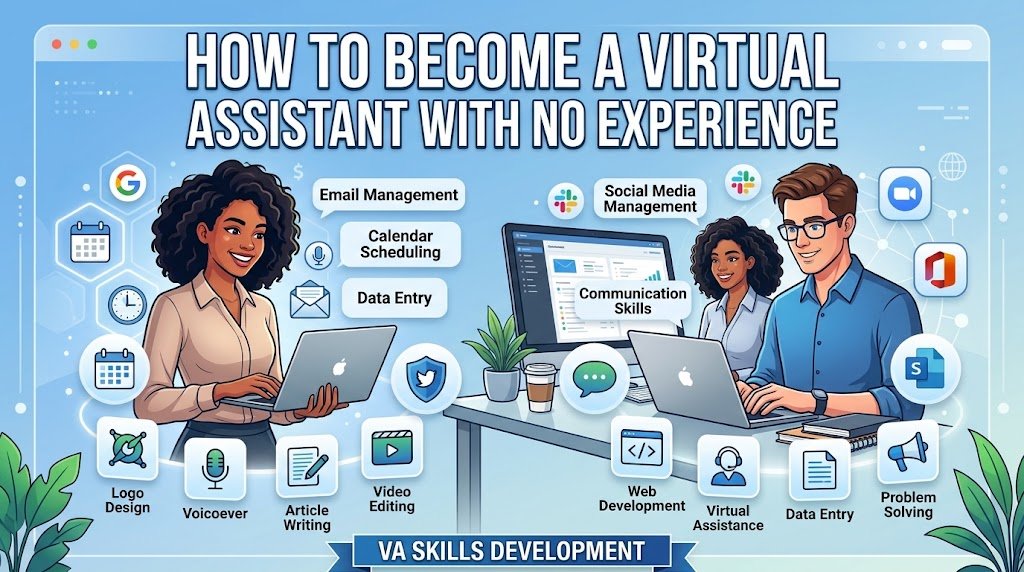
Yes, you can become a virtual assistant with no experience. You don’t need years of office work, a special degree, or a long employment history. You need a few useful skills, a reliable computer and internet connection, a small portfolio, and a clear service you can offer to clients. Beginner VA work commonly includes email management, scheduling, data entry, customer support, research, and social media assistance.
The important part is not trying to learn every VA task at once. Start with skills you already have, improve the ones clients commonly request, create examples of your work, and then apply for suitable Beginner Jobs.
What Does a Virtual Assistant Do?
A virtual assistant is a remote professional who helps businesses, entrepreneurs, and other clients with administrative, technical, creative, or customer-support tasks. The work can be part-time, full-time, freelance, or project-based, depending on the client.
For example, a small business owner may need someone to organize their calendar, reply to routine emails, update a spreadsheet, research potential customers, schedule social media posts, or manage customer messages. You don’t necessarily have to perform all of these tasks. Many VAs choose a small group of services and specialize in them.
Can You Become a Virtual Assistant With No Experience?
You can start without previous VA employment. What matters is whether you can demonstrate that you can complete the work accurately and communicate professionally. Skills gained from school, volunteering, personal projects, customer service, writing, organizing events, or managing your own online activities can often be turned into useful VA skills.
For instance, if you’ve regularly organized appointments for a family member, managed spreadsheets for a project, written emails, handled social media pages, or researched information online, you’ve already practiced tasks that overlap with VA work.
The key is to show what you can do instead of simply saying you have no experience.
Choose Beginner-Friendly Virtual Assistant Services
Your first step should be choosing two or three services rather than advertising yourself as someone who can do everything. A focused offer makes it easier for clients to understand what you can actually help them with.
Common starting options include:
| VA service | Beginner tasks |
| Email management | Organizing inboxes, sorting messages, drafting routine replies |
| Calendar management | Scheduling meetings and updating appointments |
| Data entry | Entering, cleaning, and organizing information |
| Web research | Finding information and preparing simple reports |
| Customer support | Answering basic questions through email or chat |
| Social media support | Scheduling posts and responding to comments |
| Document formatting | Editing Word or Google Docs files |
| Spreadsheet work | Basic Excel or Google Sheets updates |
You can later add specialized services such as bookkeeping, e-commerce support, SEO, social media management, or executive assistance as your skills develop. If you’re new to online work in general, learning broader Freelance Skills can also help you take on more types of client work over time.
Learn the Essential Virtual Assistant Skills
You don’t need to master dozens of applications before looking for your first client. Start with the tools connected to the services you want to sell.
For administrative work, learn Google Docs, Google Sheets, Gmail, Google Calendar, Microsoft Word, and basic Excel. If you want to offer social media assistance, learn Canva and the scheduling features of the platforms your clients use. Project-based work may also require tools such as Trello, Asana, or Slack.
Your non-technical skills matter just as much. Clients need someone who can follow instructions, meet deadlines, write clearly, stay organized, and ask sensible questions when something isn’t clear.
Build a Virtual Assistant Portfolio Without Clients
This is where many beginners get stuck. They think a portfolio can only contain paid client work. It doesn’t.
Create sample projects that demonstrate the exact services you want to sell. If you’re offering email management, create a sample inbox organization system. For data entry, make a clean spreadsheet from publicly available information. For social media support, create several sample Canva posts and a simple posting calendar.
Your portfolio doesn’t need to be complicated. A Google Drive folder, simple document, personal website, or portfolio page can be enough when it clearly shows your work.
Include three things for each sample: the task, what you created, and what skill it demonstrates. This gives potential clients something concrete to judge instead of leaving them with an empty work history.
Create a Beginner-Friendly VA Profile
Once you’ve prepared your skills and samples, create a profile where potential clients can find you. Upwork and Fiverr are two options, while LinkedIn can also be useful for finding remote work and connecting with business owners.
Don’t write your profile around your lack of experience. Instead of saying, “I have no experience but I’m willing to learn,” explain what you can do.
For example:
“I help small businesses manage email, spreadsheets, online research, and routine administrative tasks. I’m organized, detail-focused, and comfortable working with Google Workspace and Microsoft Office.”
Then add your portfolio samples and clearly list your services. A strong profile should make it easy for clients to understand your skills, services, and the type of work you’re available to handle.
Find Virtual Assistant Jobs for Beginners
Start by looking for jobs that match your current ability instead of applying to every VA listing you see. Search for terms such as “entry-level virtual assistant,” “data entry VA,” “administrative assistant,” “remote customer support,” and “virtual assistant beginner.”
On freelance marketplaces, read the full job description before applying. Look at the required tools, working hours, tasks, and experience level. If the client needs advanced bookkeeping and you’ve only learned basic spreadsheets, that isn’t the right first project.
Upwork is one place beginners can search for VA projects and build experience through freelance work. You can also look at smaller projects first, where the requirements closely match the skills you’ve already developed.
Fiverr works differently because you create service listings that buyers can discover. Its virtual assistant category includes services such as general assistance, research, messaging and email support, document formatting, file conversion, and fact checking.
Write Better Proposals as a Beginner
Your first proposals should be short, specific, and connected to the client’s actual problem. Avoid sending the same generic message to every person.
Mention the task you understand, explain how you would handle it, and point to a relevant portfolio sample. If the client needs spreadsheet cleanup, don’t spend most of your proposal talking about your interest in freelancing. Talk about spreadsheet work.
A simple structure is:
I understand the task → I have the relevant skill → Here’s a related sample → Here’s how I can help.
This approach gives a client a reason to consider you even when your formal work history is limited. It also helps you build a better foundation for Freelancing as you take on more clients and learn how client communication works.
How Much Can a Beginner Virtual Assistant Earn?
There isn’t one fixed beginner salary because VA income depends on location, skills, services, client type, working hours, and whether you charge hourly or by project.
Upwork’s guidance says beginner virtual assistants on its platform may charge around 10–20 per hour, although actual rates vary according to experience, service type, client requirements, and market conditions.
Don’t choose your rate based only on what another VA charges. Consider the service you’re providing, the amount of work involved, your current skill level, and the value of building a reliable track record.
A Simple 30-Day Plan to Start
You don’t need to wait until you feel completely ready. A practical first month can be used to build one skill, prepare samples, and start applying while continuing to learn.
Week 1: Choose two VA services and learn the basic tools required for them.
Week 2: Create three to five portfolio samples based on realistic client tasks.
Week 3: Set up your Upwork, Fiverr, or LinkedIn presence and write a clear service description.
Week 4: Apply for relevant beginner jobs, send personalized proposals, improve your samples, and track which types of jobs receive responses.
The goal isn’t to become an expert in 30 days. It’s to move from “I have no experience” to “I can show you exactly what I can do.”
Common Mistakes New Virtual Assistants Should Avoid
Beginners often make the process harder by trying to offer every service imaginable. A focused service list makes your profile easier to understand and helps you build relevant experience.
Another common mistake is applying before learning the basics. You don’t need advanced knowledge, but you should be able to confidently complete the task you’re offering. Avoid exaggerating your skills, copying proposals, or accepting work you don’t understand.
It’s also useful to understand the difference between freelance work and employment. Some companies hire VAs as employees, while others work with independent contractors. If you’re specifically looking for flexible work you can perform from home, exploring Remote Jobs can help you find opportunities beyond freelance marketplaces.
Also, be cautious with job offers that ask you to pay large upfront fees, purchase unusual equipment from a specific seller, or share sensitive financial information before a legitimate working relationship exists. A real client should be clear about the work, expectations, and payment terms.
Final Steps to Start Your VA Career
If you’re wondering how to become a virtual assistant with no experience, keep the process simple: choose a service, learn the necessary tools, create proof of your ability, build a clear profile, and apply for suitable jobs.
You don’t need to wait until your résumé looks impressive. Your first portfolio samples can demonstrate your ability, and your first small project can give you the client experience you currently lack. As you complete more work, you can specialize, raise your rates, and take on more advanced VA services.
The first goal isn’t to become an expert VA overnight. It’s to become useful enough that a client can confidently trust you with one specific task.
FAQs
Can I become a virtual assistant with no experience?
Yes. Many VA roles don’t require years of previous experience. You can start by learning beginner-friendly tasks such as data entry, email management, scheduling, research, and customer support, then demonstrate those skills through portfolio samples.
What skills do I need to become a virtual assistant?
Start with communication, organization, time management, attention to detail, basic computer skills, spreadsheets, email management, and familiarity with tools such as Google Workspace or Microsoft Office. You can add specialized skills later.
How do I get my first virtual assistant client?
Create a small portfolio, set up a clear freelance profile, and apply for jobs that match your current skills. Personalized proposals and relevant work samples can help clients understand what you can offer even without a long work history.
Can I work as a virtual assistant from home?
Yes. Virtual assistants generally provide services remotely using a computer, internet connection, communication tools, and the software required for their client’s work. Both freelance and employment opportunities are available.