
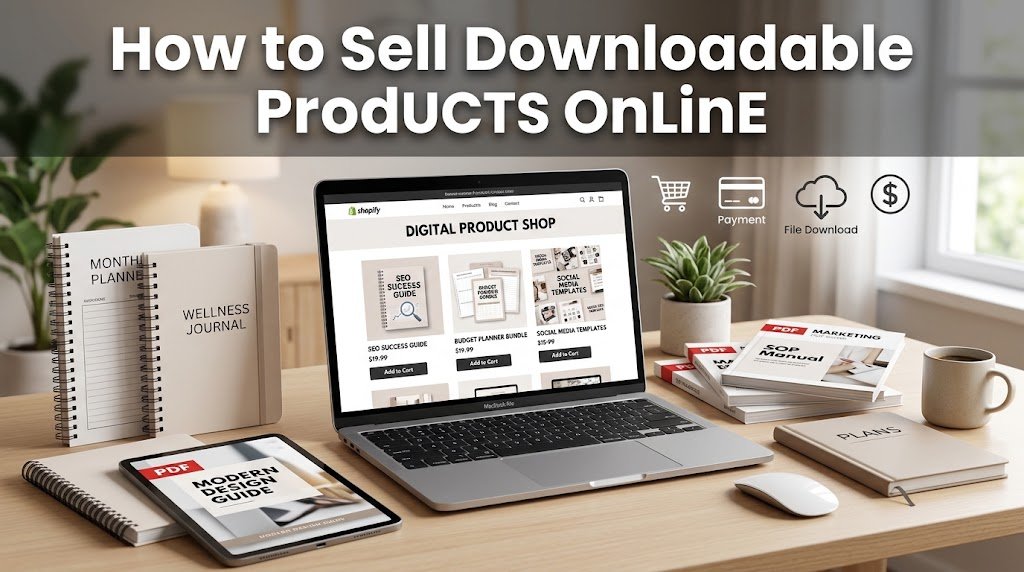
The easiest way to sell downloadable products online is to create a useful file, upload it to a selling platform, set a clear price, and promote it to people who need it. You can sell PDFs, templates, planners, ebooks, worksheets, graphics, presets, courses, and other files without storing inventory or shipping physical goods. Platforms such as Etsy and Gumroad can handle checkout and file delivery, so beginners can start with a relatively simple setup.
The real work, though, is choosing a product people actually want. A good-looking file isn’t enough if it doesn’t solve a specific problem. Here’s how to build the process from product idea to first sale.
What Are Downloadable Products?
Downloadable products are files or online resources customers can access after paying. Unlike physical products, there’s no box to pack and no shipping label to print. Depending on the platform, customers may receive an automatic download link or access to a hosted resource.
Common examples include ebooks, printable planners, budget spreadsheets, resume templates, social media templates, worksheets, study notes, design assets, Lightroom presets, fonts, checklists, and recorded lessons. Shopify, for example, supports files and links as product assets through its Digital Products app.
The best products usually have one thing in common: they save the buyer time, help them complete a task, or give them a ready-made resource they can use immediately.
What Downloadable Products Can You Sell?
You don’t need to create a complicated course or a huge ebook to start. A small product that solves one clear problem can be easier to create, explain, price, and sell.
Think about skills you already have. A teacher could create lesson worksheets, a designer could sell Canva Templates, a writer could create content planners, and an accountant could make budgeting spreadsheets. The product should match both your knowledge and a clear customer need.
Some practical ideas include:
- Printable planners and calendars
- Resume and cover letter templates
- Budget spreadsheets
- Canva templates
- Study worksheets and revision guides
- Business checklists
- Ebooks and short guides
- Social media content calendars
- Wedding or event planning templates
- Digital art and design assets
Don’t create ten products at once. Start with one useful item, learn what buyers respond to, then build related products around that demand.
How to Choose a Product People Will Buy
Before creating anything, find out whether people are already searching for the solution. Search Etsy, Google, Pinterest, Reddit, and social media for the problem your product would solve. Look at the questions people ask, the features they want, and the complaints they have about existing products.
For example, instead of creating a generic “budget planner,” you might create a monthly budget spreadsheet for college students. The second idea addresses a more specific group and a clearer need.
Ask yourself three questions:
- Who is this product for?
- What problem does it solve?
- Why would someone pay for it instead of making it themselves?
If you can’t answer those questions clearly, the product idea probably needs more work.
Where Can You Sell Downloadable Products Online?
You can sell through a marketplace such as Etsy, a creator-focused service such as Gumroad, or your own online store through Shopify. The right option depends on whether you want marketplace exposure, greater control over your store, or a simple way to start selling.
Etsy can be useful for products that fit its marketplace categories, but sellers need to account for listing, transaction, payment processing, and other applicable fees. Etsy currently charges $0.20 per listing and a 6.5% transaction fee, while payment processing rates vary by country.
Gumroad is designed around creator sales and doesn’t charge a monthly fee. Its current direct-sale fee is 10% plus $0.50 per transaction, while purchases made through its Discover marketplace carry a 30% fee.
Shopify gives you more control over your own store. Its Digital Products app can deliver files or links to customers after purchase, including PDFs, videos, audio, and other downloadable resources.
| Platform | Best suited for | Important cost consideration |
| Etsy | Marketplace-based selling | Listing, transaction and payment fees |
| Gumroad | Creators wanting simple checkout | 10% + $0.50 on direct sales |
| Shopify | Your own online store | Store plan plus payment processing |
Check each platform’s current pricing before launching because fees, taxes, and payment rules can change.
How to Create Your First Product
Start by defining one specific outcome. If you’re creating a resume template, for example, decide whether it’s aimed at students, freelancers, recent graduates, or experienced professionals. That decision should influence the layout, instructions, examples, and product description.
Create the file in a suitable tool such as Canva, Google Docs, Microsoft Excel, or another program that fits the product. Test every page, link, formula, and download before publishing. If the product is a template, include simple instructions so buyers know how to edit it.
Save the final files in formats your customers can easily use. PDF works well for documents and printables, while editable templates may require formats such as DOCX, XLSX, or a shareable template link.
How to Price Downloadable Products
Pricing shouldn’t be based only on how long it took you to create the file. Consider the value of the problem it solves, the quality of the product, competing products, and the type of buyer you’re targeting.
A simple printable might sell for a few dollars, while a detailed template bundle, course, or specialist resource can command a higher price. You can also create several price levels rather than relying on one product.
For example, you could offer a single template at $7, a bundle of five templates at $19, and a larger business pack at $39. This gives customers different choices without forcing every buyer into the same package.
Remember to calculate platform and payment fees before deciding your final price.
How to Create a Product Listing That Gets Attention
Your product listing needs to explain the benefit quickly. Start with a title that tells shoppers exactly what they’re getting and who it’s for. Then show previews that make the product easy to understand.
Your description should answer practical questions before customers have to ask them. Explain what’s included, the file format, how the product is delivered, whether it’s editable, and whether the purchase is for personal or commercial use.
Don’t use vague claims such as “perfect for everyone.” Specific information is more useful. Tell buyers exactly what they’ll receive after payment.
How to Get Your First Customers
Creating the product is only half the job. People need a reason to find it, understand it, and trust it. Start with channels where your potential customers already spend time.
Search-based platforms such as Etsy and Google can help people discover products through relevant searches. Another option is Blogging, where you can publish useful articles that answer questions related to the products you sell. For example, someone selling budget spreadsheets could write about monthly budgeting and naturally introduce their spreadsheet as a resource.
Social platforms can also work well when you demonstrate how the product solves a real problem. A seller of budget templates could share a short example showing how the spreadsheet organizes monthly expenses.
You can also build an email list, publish helpful content, work with relevant creators, or offer a small free resource that introduces buyers to your paid products.
Focus on showing the product in use rather than repeatedly telling people to buy it.
Common Mistakes to Avoid
Many beginners spend too much time making products and too little time researching customers. They create a large collection before knowing whether anyone wants it. Others copy popular products without adding anything useful or fail to explain exactly what buyers receive.
Another common mistake is ignoring customer experience. A broken download, confusing instructions, poor file naming, or missing fonts can lead to unnecessary support requests and refunds.
It’s also worth checking whether the selling platform and payment options work in your country. If you’re comparing different Earning Websites, look at their supported countries, withdrawal methods, fees, and payout schedules before choosing one.
Keep the first product simple, test it with real users, fix problems quickly, and use customer questions to guide your next product.
Can You Sell Downloadable Products Without a Website?
Yes. You don’t need to build a standalone website before making your first sale. Marketplaces and creator-selling platforms can provide product pages, checkout, payment processing, and file delivery.
A website becomes more useful when you have several products, repeat customers, or an audience you want to manage directly. Shopify, for example, lets sellers operate their own store and deliver downloadable files after checkout.
You should also plan how you’ll receive money from customers. Understanding Payments before opening your store can help you avoid problems with payment methods, withdrawal limits, currency conversion, and processing fees.
For a beginner, starting with one product on a suitable platform can be simpler than paying for a full website before you know whether the idea has demand.
Final Thoughts
Selling downloadable products online can be a practical way to turn a useful skill, resource, or area of knowledge into something customers can purchase repeatedly. The key isn’t creating the biggest product library. It’s finding a specific problem, making a genuinely useful solution, presenting it clearly, and putting it where the right buyers can find it.
Start with one product, one audience, and one sales channel. Once you understand what customers want, you can add related products, create bundles, improve your listings, and build a more consistent source of online income.
FAQs
What is the easiest downloadable product to sell?
Templates, planners, checklists, worksheets, and simple guides are often easier for beginners because they can be created without producing a large amount of content.
Can I sell downloadable products without a website?
Yes. You can use marketplaces and creator-selling platforms such as Etsy and Gumroad. A standalone store is optional when you’re starting.
How much does it cost to sell downloadable products online?
The cost depends on the platform. Etsy charges listing and transaction fees, while Gumroad currently charges 10% plus $0.50 on direct sales. Shopify requires a store plan, while its Digital Products app itself has no additional fee.
Do I need to create my own downloadable products?
You should have the appropriate rights to anything you sell. If you’re using templates, graphics, fonts, photos, or other third-party assets, check their licensing terms to make sure commercial resale is permitted.