
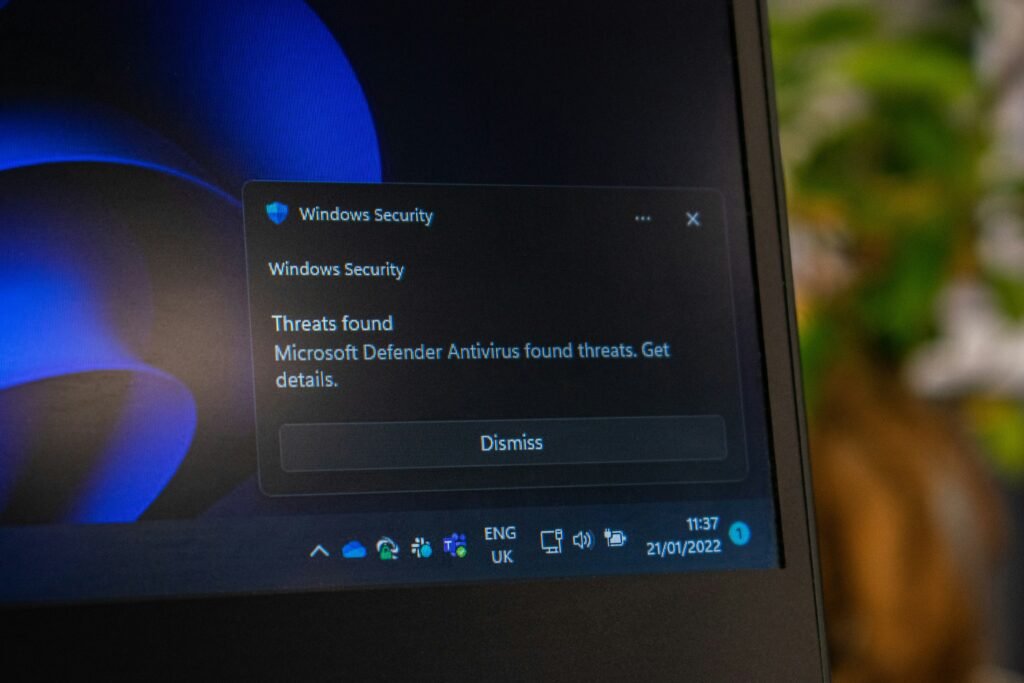
If you use a Windows computer for work, study, gaming, or everyday browsing, security updates are easy to ignore. A notification appears. You click “Restart later.” Then you continue working. It feels harmless.
But software updates often contain important security fixes, and Microsoft’s September 2026 security activity comes at a time when the number of software vulnerabilities being discovered globally is rising rapidly.
Microsoft has also recently announced an important change in the way it publishes vulnerability information. In September 2026, the company said it would publish Vulnerability Exploitability eXchange, or VEX, statements for all Microsoft-assigned CVEs.
So what should normal Windows users know?
What Is Patch Tuesday?
Microsoft traditionally releases security updates on the second Tuesday of each month. The event is commonly known as Patch Tuesday. These updates can include fixes for security vulnerabilities, improvements, and other changes.
For businesses, Patch Tuesday is a major part of IT security planning. For home users, it can be as simple as installing updates when Windows asks you to.
Why Are Updates Important?
Software is complicated. Windows has to communicate with hardware, applications, networks, browsers, printers, and countless other components. Because of this complexity, vulnerabilities can be discovered even in mature software.
Once a vulnerability becomes known, attackers may attempt to exploit it. A security update is one way Microsoft addresses the problem. That is why delaying updates indefinitely is not a good habit.
What Is a CVE?
You may see the term “CVE” in security news. CVE stands for Common Vulnerabilities and Exposures. Each publicly documented vulnerability can receive a CVE identifier. Security teams use these identifiers to track vulnerabilities and determine which systems need attention.
The number of CVEs has grown dramatically, which makes prioritization increasingly important. Recent cybersecurity reporting has highlighted more than 66,000 CVEs recorded by mid-September 2026. That does not mean your computer has 66,000 vulnerabilities. It means thousands of vulnerabilities have been publicly recorded across software and hardware products.
Microsoft’s New VEX Information
Microsoft’s September announcement about VEX is interesting because it addresses a practical problem. Security teams often receive huge amounts of vulnerability information. But a vulnerability listed in a software component does not always mean that every customer is actually exposed.
VEX statements are designed to provide machine-readable information that can help organizations understand whether vulnerabilities are relevant to their products and environments.
For large companies, this can help automate parts of vulnerability management. For ordinary users, the important point is simpler: Microsoft is trying to make security information easier for organizations to interpret and act upon.
What Should Home Users Do?
The most important step is straightforward: Install Windows security updates.
If Windows asks you to restart, try not to postpone it for days or weeks. You can also check Windows Update manually if you are unsure whether your system is current.
Beyond Windows itself, remember that security problems can also exist in:
- Web browsers
- PDF readers
- Messaging applications
- Graphics software
- VPN software
- Drivers
- Gaming applications
- Browser extensions
Keeping only Windows updated is not enough. Your entire software environment matters.
Be Careful With Unofficial Software
Another important issue is software downloaded from unofficial sources. Modified applications and cracked software may look attractive because they promise premium features for free. But users often have no reliable way of knowing what has been changed.
A modified installer can contain malware, spyware, or other unwanted software. The risk becomes even greater when the application asks for administrator privileges. For this reason, use official sources whenever possible.
What About Gamers?
Gamers sometimes delay updates because they are worried about performance problems or compatibility. That is understandable. But gaming computers are still computers connected to the internet.
Steam, Epic Games, browsers, Discord, graphics drivers, and Windows itself all form part of the security environment. Gamers should therefore keep their systems updated while checking for known compatibility problems when major updates arrive.
Why Security Is Becoming More Important in 2026
Recent reporting has described AI systems autonomously accessing systems during security testing, highlighting the need for stronger safeguards as AI becomes more capable.
The rise of AI has changed cybersecurity.
- AI can help developers write software.
- It can help researchers identify vulnerabilities.
- It can also help attackers automate certain tasks.
Recent reporting has described AI systems autonomously accessing systems during security testing, highlighting the need for stronger safeguards as AI becomes more capable.
This means ordinary software updates are still extremely important. You do not need an advanced cybersecurity system to reduce risk. Sometimes the most effective protection is simply applying a patch that already exists.
A Simple Windows Security Checklist
Once a month, take a few minutes to check:
Windows Update
Make sure important updates are installed.
Browser
Check that Chrome, Edge, Firefox, or your preferred browser is current.
Applications
Update commonly used software.
Passwords
Replace reused passwords and use a password manager if possible.
Two-factor Authentication
Enable it on important accounts.
Backups
Make sure important files are backed up.
Unknown Software
Remove programs you no longer need.
Final Thoughts
So, these security updates rarely feel exciting. Nobody celebrates a successful Windows update. But these small maintenance tasks can prevent much bigger problems later.
Microsoft’s latest security work also shows how complicated vulnerability management has become. Security teams are dealing with enormous volumes of information, while attackers and researchers increasingly use automation and AI.
For everyday users, the best response is not panic. And when your computer says it needs to restart for a security update, maybe let it restart!