
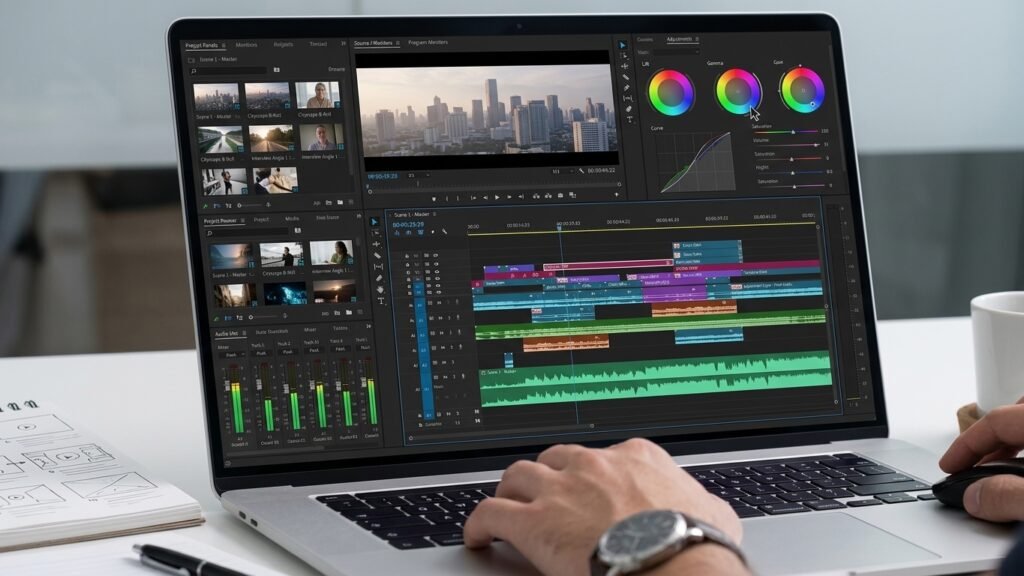
You’ve filmed something good, but when you play it back, it feels a little off. The start drags, the audio sounds thin, and the whole clip looks flatter than what you saw in person. These simple video editing tricks work in almost any app.
Here’s the reassuring part: the gap between an amateur clip and a polished one is rarely about expensive gear. It usually comes down to a handful of small decisions made during editing. These video editing tricks are simple enough to apply in a few minutes, and they work in almost any app, whether you edit on a phone or a laptop.
Video Editing Tricks Start With Tighter Cuts
If you only apply one of these video editing tricks, make it this one. Most clips feel amateur because they’re too slow.
Watch your footage and look for dead space: the pause before you start speaking, the breath after a sentence, and the moment you look for the camera button. Trim it all. Your goal is to make every second earn its place.
A few practical rules:
- Cut the First Moment: Start on the action or the first spoken word, not the setup.
- Remove Filler: Long “ums,” repeated words, and false starts can go.
- Trim the End: Stop soon after the point is made instead of letting the clip fade into nothing.
Tight pacing is the fastest way to make a clip look edited by someone who knows what they’re doing.
Fix Your Audio Before Anything Else
Viewers will forgive slightly soft video far more easily than bad sound. Muffled, echoey, or uneven audio makes even beautiful footage feel cheap.
Quick audio fixes
- Normalize the Volume: Make sure your voice sits at a consistent level from start to finish.
- Use Noise Reduction: Many editing apps include a basic tool that reduces background hum or room noise. Use a light touch, because heavy settings can make voices sound robotic.
- Lower the Music: Background music should support your voice, not compete with it. If you can’t understand the speaker easily, turn the music down.
- Watch For Clipping: If the audio peaks into the red, the sound will distort. Reduce the level rather than trying to fix it later.
A simple test: listen once with headphones and once through your phone speaker. If it works on both, you’re in good shape.
Add Captions That People Can Actually Read
Many viewers scroll with the sound off, so captions do a lot of work. They also make your content easier to follow for people who are deaf or hard of hearing or who simply can’t play audio at the moment.
Auto-generated captions save time, but they’re rarely perfect. Always read through them and correct names, brand terms, and technical words.
For readability:
- Use a clean, bold font with strong contrast against the background.
- Keep lines short, ideally one or two lines on screen at once.
- Keep captions inside the safe area so app buttons and interface elements don’t cover them.
- Highlight one or two key words for emphasis, but don’t color every word.
Consistent caption styling across your videos also makes your channel feel more recognizable.
Basic Color Correction for Better Video Editing
You don’t need to be a colorist. A few small adjustments can lift a clip from dull to clean.
- Brightness and Exposure: Raise them slightly if the footage looks dark, but avoid blowing out the highlights.
- Contrast: A small boost adds depth and separates subjects from the background.
- Saturation: Nudge it up for a livelier look, but stay subtle. Skin tones that look orange or neon are a giveaway of over-editing.
- White Balance: If the footage looks too yellow or too blue, adjust the temperature until whites look white.
Apply the same adjustments to every clip in a video so the shots match. A sudden change in color between cuts is distracting.
Be Selective With Transitions and Effects
Flashy transitions tempt almost every new editor. Spinning wipes, glitch effects, and zooms on every cut can look exciting at first, but they usually make a video feel busy.
Professional edits tend to rely on simple cuts. When you do use a transition, use it for a reason, such as signaling a change in location or time. Pick one or two styles and repeat them so the video feels cohesive.
Here’s a good rule of thumb: if a viewer notices the effect more than the content, dial it back.
Use Zooms and Cutaways to Keep Things Moving
A single, unbroken shot of someone talking can lose attention quickly. Two easy fixes help:
- Punch-in Zooms: Slightly enlarge the frame on certain sentences, then return to normal. This creates the feeling of a second camera angle without any extra filming.
- Cutaways (B-roll): Layer in short supporting shots that illustrate what you’re saying. If you mention a product, show it. If you describe a place, show a glimpse.
Even a few well-placed cutaways make a simple clip feel more produced.
A Five-Minute Routine for Applying These Video Editing Tricks
When you’re short on time, follow this order so you don’t waste effort:
- Trim and Cut: Remove dead space and tighten the pacing.
- Fix the Audio: Balance voice and music.
- Add Captions: Review them for errors.
- Adjust Color: Make small, consistent tweaks.
- Add a Zoom or Cutaway or Two: Only where they help.
- Watch It Once on Your Phone: Check text placement, sound, and pacing before exporting.
Following the same order every time also speeds you up, because you stop making the same decisions from scratch.
Common Video Editing Mistakes to Avoid
- Over-Editing: More effects rarely mean better video.
- Ignoring the First Three Seconds: A slow opening gives viewers a reason to scroll away.
- Inconsistent Style: Random fonts, colors, and effects make your content look scattered.
- Exporting at Low Quality: Use the highest export setting your app allows, especially for footage you plan to reuse.
- Skipping a Final Review: A quick playback catches typos, awkward cuts, and audio problems before your audience does. Skipping this step undermines even the best video editing tricks.
Make Sure People Can Find Your Videos
Great editing helps, but discovery matters too. Titles, captions, and on-screen text can all influence how your clips show up in search. If you post on TikTok, this guide on TikTok SEO in 2026 and how to get more views from search shows how to write captions and choose keywords that help your videos get found.
Turn Your Editing Skills Into an Opportunity
Once your clips look consistently clean, your editing ability becomes a marketable skill. Small businesses, coaches, and local shops often need short videos but lack the time to produce them. If you’re curious about building something on your own terms, these online business ideas you can start from home offer a useful starting point.
If you’d rather grow an audience and earn through a platform, this article on how to earn money from Instagram covers practical approaches. Results vary, and income isn’t guaranteed, so treat this as general educational information rather than a promise of earnings.
Final Thoughts
Professional-looking video isn’t about doing more. It’s about doing a few things well: cutting tightly, cleaning up your sound, adding readable captions, and keeping color and effects consistent. Try these video editing tricks on your next clip, and you’ll likely notice the difference before you even hit export.