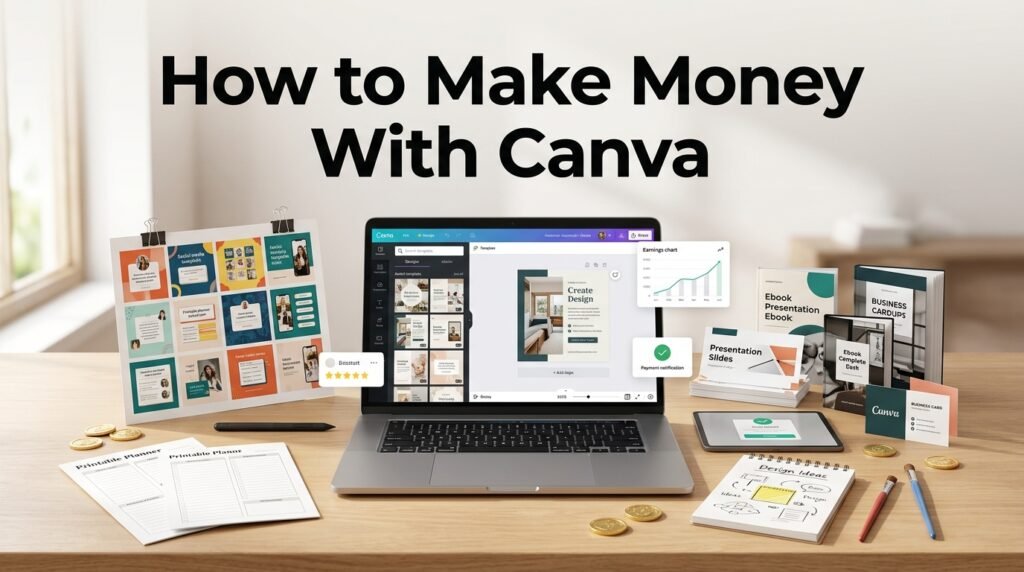
You can make money with Canva by selling templates, creating digital products, offering freelance design services, selling printables, creating social media content, and applying to the Canva Creators program. Canva is beginner-friendly, but earning consistently requires more than making attractive designs. You need a useful offer, a clear audience, original work, and a way to reach potential buyers or clients.
Canva can also be combined with other online income methods. For example, people interested in AI Earning can use AI tools for ideas, content planning, research, and drafts while using Canva to turn that material into useful visual products.
1. Sell Canva Templates
Selling Canva templates is one of the most practical ways to turn design skills into an online income stream. You can create editable templates for resumes, social media posts, presentations, invitations, planners, business documents, and other common needs.
Canva has its own Template Creator program, where approved creators can publish templates and earn royalties based on their use. Canva says applicants need to submit a portfolio, and its Template Creator program accepts applications subject to its current requirements.
You can also sell original Canva templates through your own store or suitable marketplaces, as long as your designs follow Canva’s licensing rules. Always check the current license for the elements you’re using before listing a template for sale.
2. Create and Sell Digital Products
Canva is useful for creating Digital Products that customers can download and use immediately. These products don’t require physical inventory, which makes them suitable for people starting a small online business.
You could create planners, checklists, worksheets, ebooks, calendars, workbooks, media kits, business documents, and social media kits. The important part is choosing a clear audience rather than trying to create something for everyone.
For example, instead of making a general planner, you could create a weekly planner for university students or a content planner for small business owners. A specific product gives you a clearer idea of who might buy it and what problem it should solve.
3. Offer Canva Graphic Design Services
You don’t have to sell products to make money with Canva. You can also use Canva to provide design services to individuals, creators, and businesses.
Small businesses often need social media graphics, flyers, presentations, menus, brochures, resumes, advertisements, and other visual materials. Many don’t need a full-time designer, so freelance work can be a practical starting point.
Platforms such as Fiverr and Upwork allow freelancers to list services and connect with potential clients. You can also approach businesses directly and show examples of your work through a simple portfolio.
4. Create Social Media Content for Businesses
Social media content is another way to earn from Canva. Businesses often need new posts regularly, so this type of service can lead to repeat work rather than a single design order.
You can create Instagram posts, Facebook graphics, Pinterest pins, story designs, promotional banners, quote graphics, and simple videos. If you understand basic content planning as well as design, you can offer a more complete service.
Rather than advertising yourself simply as a “Canva designer,” describe exactly what you’re offering. For example, you could provide 12 social media graphics per month for a small business, including branded templates that the owner can reuse.
5. Sell Printables
Printables are downloadable files that customers can purchase and print at home. Canva makes it relatively simple to create these products because you can work with ready-made layouts, text, shapes, and other design elements.
Popular examples include meal planners, habit trackers, budget sheets, study planners, wedding checklists, children’s activity sheets, calendars, and household organizers.
If you’re considering Etsy as a sales channel, researching Etsy Digital Products can help you understand the types of downloadable products customers commonly look for. The goal isn’t to copy existing products but to identify a useful niche and create something original.
6. Create Print-on-Demand Designs
You can also use Canva to create artwork for print-on-demand products such as posters, notebooks, shirts, mugs, and other merchandise.
With this model, a third-party provider usually handles printing and shipping after a customer places an order. Your role is to create and market the design while following the provider’s requirements.
Licensing matters here. Not every Canva element can be used in every type of product for resale. Before uploading merchandise designs, check Canva’s current content license and the terms of the print-on-demand service you’re using.
7. Become a Canva Creator
If you’re already comfortable with design, you can consider applying to Canva’s Creator program. Canva’s Creator community includes people who contribute templates and other content that can be used by Canva customers.
Template Creators need to meet Canva’s application requirements and submit examples of their work. This makes having a strong Portfolio important, especially if you want to show that you can create different types of useful templates.
The Creator route differs from freelance work. Instead of creating a specific design for one client, you’re contributing content to Canva’s library and may receive royalties according to the applicable program terms.
8. Create Presentations and Business Materials
Presentations and business documents can also become paid Canva services. Companies, students, teachers, freelancers, and professionals all need clear documents from time to time.
You could offer presentation design, pitch decks, company profiles, brochures, media kits, reports, resumes, and marketing materials. The value comes from organizing information clearly, not simply adding decorative elements.
If you want presentation clients, make presentation examples part of your portfolio. A potential client should be able to look at your work and quickly understand the type of project you can handle.
9. Teach Canva to Beginners
Once you know Canva well, you can teach other people how to use it. Beginners may want help creating social media posts, presentations, resumes, worksheets, or promotional materials.
You could offer one-to-one lessons, group classes, recorded tutorials, or beginner guides. Your income would come from teaching rather than selling the design itself.
This approach can work well if you’re good at explaining things clearly. You don’t need to know every Canva feature. Instead, focus on helping a particular audience complete useful tasks.
10. Build a Canva-Based Freelance Business
Rather than depending on one product, you can gradually build several related services around a specific audience.
For example, a freelancer working with restaurants could offer menu designs, promotional posts, event flyers, and social media graphics. Someone working with coaches could create workbooks, presentations, social media content, and lead magnets.
This approach gives you room to expand after you’ve learned what clients actually need. Canva is the design tool, but the service you provide is what customers are paying for.
How Much Can You Make With Canva?
There isn’t a fixed amount you can earn with Canva. Your income depends on what you’re selling, your pricing, customer demand, sales volume, and how consistently you promote your work.
For example, a freelancer charging $25 for a design would need 20 projects to generate $500 in gross revenue. Someone selling a $10 digital product would need 50 sales to reach the same gross amount. These examples show the difference between service-based and product-based income; they aren’t guaranteed earnings.
Canva Creator royalties work differently because payments depend on the applicable Creator program and its terms. Canva can also change its royalty models and payment conditions, so creators should check the current agreement.
| Method | What You Sell | Main Income Source |
| Canva templates | Editable designs | Product sales or royalties |
| Freelance design | Custom client work | Client fees |
| Digital products | Planners, ebooks, worksheets | Product sales |
| Printables | Downloadable files | Product sales |
| Social media design | Posts and graphics | Client fees |
| Print-on-demand | Merchandise designs | Product margins |
| Canva Creator | Templates and other content | Royalties |
| Canva teaching | Lessons and tutorials | Course or lesson fees |
How to Start Making Money With Canva
Start with one income method instead of trying every option at the same time. Choose a specific audience, find a problem they have, and create a few examples that show how your design can help them.
If you’re new to freelancing, client work can help you learn what people actually request and what they’re willing to pay for. If you prefer creating products, templates and printables allow you to build a catalog gradually.
Before selling anything, check Canva’s current licensing rules for the type of product you’re creating. This is especially important when your design contains Canva-provided graphics, photos, fonts, or other content.
A simple starting plan is:
- Choose one niche, such as students, coaches, restaurants, or small businesses.
- Create 5–10 relevant portfolio samples.
- Select one service or product to sell first.
- Set clear prices and explain exactly what buyers receive.
- Promote your work through a suitable marketplace, website, or social platform.
- Use customer feedback to improve your products and services.
Is Canva a Good Way to Make Money Online?
Canva can be a useful tool for earning online because it supports several income models, including freelance services, digital products, templates, printables, and content creation. However, simply creating designs doesn’t guarantee sales.
The most important step is finding a specific problem you can solve for a specific audience. Once you know what people need, Canva can help you create the product or service efficiently. Start with one offer, test it with real customers, and expand when you have evidence that there’s demand.
FAQs
Can I make money with Canva as a beginner?
Yes. Beginners can start with services such as social media graphics, resumes, presentations, invitations, and simple digital products. Learning basic design principles and Canva’s licensing rules is important before selling your work.
Can I sell Canva templates?
Yes, but Canva’s licensing rules apply. The way Canva content is used and the type of product being sold can affect whether resale is permitted, so check the current licensing terms before listing a template.
Can I make money with Canva without Canva Pro?
Yes. You can use Canva’s free features to create many types of designs and services. However, some assets and features are available only with paid plans, so make sure the content you’re using is permitted for your intended commercial use.
Does Canva pay creators?
Yes. Approved Canva Creators can earn royalties from eligible content under Canva’s Creator programs. The amount and payment terms depend on the applicable program and current Creator agreement.