
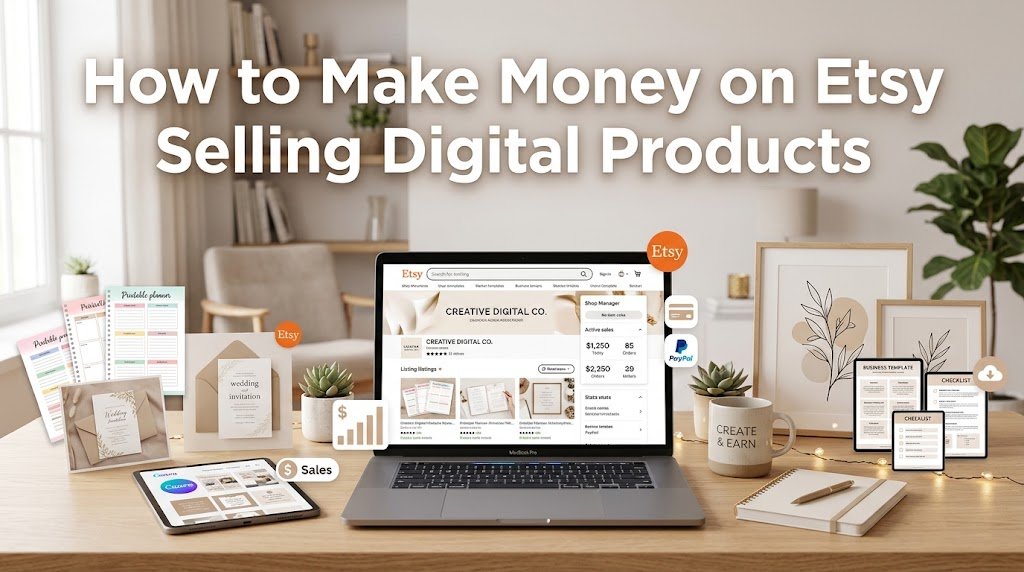
You can make money on Etsy selling Digital Products by creating useful downloadable files, listing them in an Etsy shop, and selling the same product repeatedly without shipping physical items. Popular options include printable planners, templates, wall art, invitations, worksheets, and business resources. Etsy supports both instant downloads, which buyers receive after purchase, and made-to-order digital files created for a specific customer.
The key isn’t uploading hundreds of random files and hoping they sell. You need to choose a specific customer problem, create a useful product, present it clearly, price it sensibly, and make your listing easy to find through Etsy search.
What Digital Products Can You Sell on Etsy?
Digital products are files that customers purchase and download rather than physical goods being shipped to them. Etsy allows digital items as either premade files or files that you create for the buyer after purchase. Etsy also states that digital items in your shop must be made and/or designed by you.
This gives beginners plenty of room to start with a skill they already have. A person who enjoys design might create Canva templates, while someone with strong organization skills could make planners, checklists, spreadsheets, or budget worksheets.
Some practical Etsy digital product ideas include:
- Printable planners and calendars
- Resume and cover letter templates
- Wedding invitations and event stationery
- Social media templates
- Budget spreadsheets
- Printable wall art
- Worksheets and checklists
- Business templates
- Educational resources
- Sewing, craft, or knitting patterns
Before creating anything, look at existing Etsy listings and ask what buyers are actually looking for. A product that solves a clear problem is usually easier to explain and market than a generic file.
How to Choose a Profitable Etsy Digital Product
A profitable product doesn’t have to be complicated. In many cases, simple products work because they save customers time or make a particular task easier.
Start by choosing a customer group rather than trying to sell everything to everyone. For example, instead of making a generic planner, you could create a weekly planner for college students, a meal planner for busy families, or a content planner for small businesses.
Check Etsy search results for similar products and study the language sellers use. Look for recurring needs, common product features, price ranges, and gaps that you could address. You don’t need to copy another seller’s product; use the research to understand the market and create your own version.
Create Your First Digital Product
Once you have an idea, create a product that’s genuinely useful and easy for the buyer to use. Tools such as Canva can be useful for templates, printables, planners, worksheets, and visual resources, while spreadsheet software works well for calculators, trackers, and financial templates.
Pay attention to the final files. A printable product may need PDF and PNG versions, while a template might need a PDF containing the access instructions. If several files belong together, package them clearly so the customer knows exactly what they’re receiving.
Etsy allows multiple digital files to be attached to an instant-download listing, subject to its current file-count and size limits. Check Etsy’s current requirements before uploading larger bundles.
Set Up Your Etsy Shop
After creating your product, open your Etsy shop and prepare the basic shop information, branding, Payments details, and policies. Then create your first digital listing.
For an instant download, you upload the finished files when creating the listing. The buyer can access the files after purchasing. For a made-to-order product, you create and deliver the file according to the customer’s requirements.
Your listing should answer the questions a buyer is likely to have before purchasing. Explain what the customer receives, which file formats are included, how the product is used, whether editing is possible, and what software may be required.
Price Your Digital Products Properly
Pricing is one of the most important parts of learning how to make money on Etsy selling digital products. Don’t choose a price simply because another seller charges the same amount.
Consider the usefulness of the product, how much time it saves, the number of files included, the quality of the design, and what comparable products cost. Bundles can also make sense when several related files work better together.
Remember that your selling price isn’t your actual profit. Etsy charges listing and transaction fees, while payment processing fees vary by country. Other charges may also apply depending on the services you use.
For example, if you sell a $10 product, the $10 isn’t all yours after a sale. You need to account for Etsy fees, payment processing, taxes where applicable, and any marketing costs before calculating your actual earnings.
Make Your Etsy Listings Easy to Find
Etsy SEO helps shoppers discover your products through search. Your listing title, description, tags, category, and product details should clearly explain what you’re selling.
Think about the exact phrases your target buyer might type into Etsy. If you’re selling a printable budget planner, terms such as “printable budget planner,” “monthly budget worksheet,” or “expense tracker” may be more relevant than vague descriptions.
Don’t repeat the same keyword unnaturally throughout the listing. Instead, describe the product naturally while covering its main use, format, audience, and features.
Your product images also matter. Since customers can’t physically inspect a digital product, use clear mockups and preview images to show what they’ll receive. Include several pages or features when appropriate, while keeping the actual downloadable files separate from the preview images.
How to Get Your First Etsy Sales
Opening an Etsy shop doesn’t guarantee immediate sales. Your first goal should be learning which products attract attention and which listings convert that attention into purchases.
Start with a small collection of related products instead of spending months creating a huge catalog. Etsy’s seller guidance recommends beginning with a few designs, seeing what customers respond to, and then creating more products based on that information.
You can also bring visitors from Pinterest, Instagram, TikTok, a blog, Earning Websites, email marketing, or other relevant channels. The important thing is to show the product in a useful context rather than simply posting a sales message.
For example, if you sell a content calendar template, show how it helps someone plan a month’s posts. If you sell a wedding invitation template, show the editing process and the final printable result.
Common Mistakes to Avoid
Many new Etsy sellers focus almost entirely on creating products and overlook the customer experience. A great file can still struggle if the listing is unclear or buyers don’t understand what they’re purchasing.
Another common mistake is copying popular products too closely. Your digital products should be your own work, and you should be careful with copyrighted designs, trademarks, fonts, graphics, photographs, and other materials you don’t have permission to use.
It’s also worth learning basic Scam Prevention practices before communicating with customers. Be cautious with suspicious messages, unfamiliar links, requests to move payments away from Etsy, or anyone asking for sensitive account information. Keeping transactions and communication within Etsy where appropriate can reduce unnecessary risk.
How Much Can You Make Selling Digital Products on Etsy?
There isn’t a fixed amount you can earn from Etsy digital products. Your revenue depends on your product prices, number of sales, repeat purchases, traffic, fees, and expenses.
For example, selling 100 products at $5 produces $500 in gross sales, while selling 50 products at $15 produces $750. Neither figure represents take-home profit because Etsy fees and other business costs still need to be deducted.
The advantage of digital products is that one completed file can be sold many times without manufacturing or shipping another physical item. That can make the business model attractive, but it doesn’t mean every product will sell automatically.
A Simple Etsy Digital Product Plan
If you’re starting from zero, keep the first stage manageable. Pick one audience, identify a specific problem, and create a small group of related products.
Then publish well-written listings, monitor which products receive views and sales, and use what you learn to improve your next products. Keep track of revenue and Etsy fees separately so you know whether the shop is actually profitable.
A simple starting process looks like this:
- Choose a specific customer and problem.
- Research related Etsy searches and listings.
- Create 3–5 original digital products.
- Prepare useful previews and clear descriptions.
- Publish optimized Etsy listings.
- Promote the products through relevant channels.
- Review views, favorites, sales, and revenue.
- Improve products based on actual customer behavior.
FAQs About Making Money on Etsy With Digital Products
Is selling digital products on Etsy profitable?
It can be profitable, but earnings aren’t guaranteed. Profit depends on product demand, pricing, sales volume, Etsy fees, marketing costs, and how efficiently you create and maintain your products.
What is the easiest digital product to sell on Etsy?
There isn’t one product that is easiest for everyone. Beginners often start with products such as printable planners, templates, checklists, invitations, worksheets, and wall art because these can be created without manufacturing or shipping.
Do I need to ship digital products on Etsy?
No. Instant digital downloads are delivered electronically after purchase, so there’s no physical packaging or shipping. Etsy also supports made-to-order digital downloads when customization is required.
How much does Etsy charge for digital products?
Etsy charges listing and transaction fees, while payment processing fees depend on the seller’s country. Other fees can apply depending on the services used and the seller’s circumstances, so check Etsy’s current fee information before calculating your profit.