
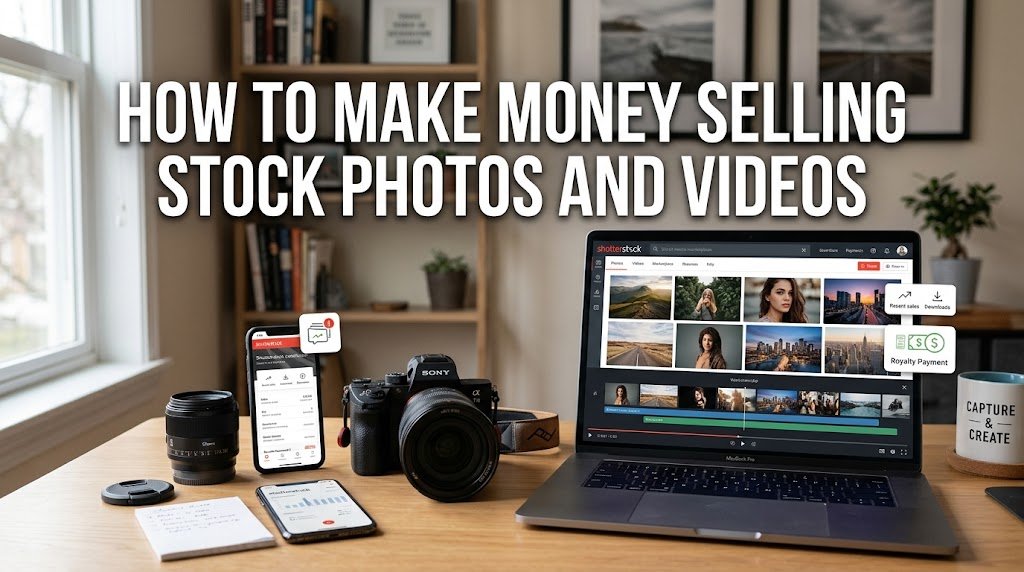
You can make money selling stock photos and videos by uploading original, commercially useful content to licensing sites such as Adobe Stock and Shutterstock. When customers license your photos or footage, you receive a royalty. The key is not simply uploading hundreds of random files; you need useful subjects, strong technical quality, accurate keywords, and a portfolio that matches what buyers are looking for.
For beginners, this can be a practical way to earn from photos and videos you create with a camera or, in some cases, a good smartphone. Income varies widely, though, because earnings depend on the platform, license, content type, portfolio size, and number of downloads.
How Does Selling Stock Photos and Videos Work?
Stock photography works on a licensing model. Instead of selling your original photo or video to one person permanently, you upload it to a stock marketplace. Businesses, publishers, designers, agencies, and other customers can then license the content for permitted uses.
You normally retain copyright while the platform handles licensing and customer access according to its contributor agreement. Each time your work is licensed, you receive a royalty based on that site’s payment structure.
For example, Adobe Stock currently lists a standard royalty rate of 33% for photos, vectors, and illustrations and 35% for video. Shutterstock uses contributor earning levels ranging from 15% to 40%, with image and video levels calculated separately.
Where Can You Sell Stock Photos and Videos?
You don’t have to rely on just one marketplace. Many photographers and videographers submit their work to several sites, provided their agreements allow them to do so.
Some of the better-known options include Adobe Stock, Shutterstock, iStock, Getty Images, and Pond5. Each marketplace has different acceptance rules, licensing terms, payment structures, and content requirements, so read the contributor agreement before uploading.
For a beginner, starting with one or two platforms can make the process easier. Once you understand metadata, releases, file preparation, and review standards, you can consider expanding to additional marketplaces.
What Types of Stock Photos Actually Sell?
The best stock photos aren’t necessarily the most artistic ones. Buyers often need simple, useful images that can fit websites, advertisements, articles, presentations, social posts, brochures, and other commercial projects.
Think about situations where a business needs an image but doesn’t have the time or budget to create its own photo. A clean image of someone working at a desk, preparing food, exercising, shopping, studying, or using a phone may have more practical value than a highly complicated photograph.
Common stock photo subjects include:
- Business and workplace scenes
- Food and cooking
- Travel and local locations
- Family and everyday life
- Health and fitness
- Education and learning
- Technology and communication
- Nature, landscapes, and seasonal scenes
- Small businesses and professional services
Try creating several variations of the same concept. Shoot both horizontal and vertical compositions, leave some empty space for text, and capture different angles where appropriate.
Can You Make Money Selling Stock Videos?
Yes. Stock footage can be another source of income, and a single useful clip can be licensed repeatedly under the marketplace’s licensing system.
Short clips showing cities, nature, transportation, workplaces, hands performing tasks, food preparation, weather, landscapes, and everyday activities can all have commercial uses. Businesses often need short footage for advertisements, presentations, websites, news content, and video projects.
Video quality matters considerably. Shutterstock, for example, checks footage for issues such as poor focus, excessive noise, unwanted camera movement, distortion, moiré, and other technical problems.
If you’re interested in creating more video content beyond traditional stock footage, learning AI Video Creation can also help you explore different ways to produce visual content. It shouldn’t replace original stock footage where a marketplace requires authentic photography or video, but it can be useful for creating other types of content for clients, websites, and social media.
You don’t necessarily need expensive equipment to begin. A capable camera or smartphone can work if the footage is sharp, well exposed, stable, and suitable for licensing.
How Much Money Can You Make From Stock Photography?
There’s no fixed monthly income from stock photos and videos. Some contributors make only a small amount for months, while established portfolios can generate regular royalties from many downloads.
Your income is mainly influenced by the number and quality of your approved files, how useful those files are, customer demand, search visibility, licensing terms, and the marketplace’s royalty system.
Adobe Stock’s current standard rates are 33% for photos and 35% for videos, although the actual royalty depends on the licensing arrangement and purchase price. Shutterstock states that contributor earnings vary according to the customer’s plan, the type of license, and the contributor’s earnings level.
It’s also important to understand Payments before choosing a marketplace. Check its minimum payout threshold, payment methods, payment schedule, currency rules, and any tax requirements. Knowing these details helps you understand when your earnings can actually reach you.
So it’s better to think of stock photography as a portfolio business rather than expecting a guaranteed amount from each upload.
How to Start Selling Stock Photos and Videos
The process is fairly straightforward, but your first submissions need to meet the marketplace’s requirements.
Start by choosing a stock marketplace and opening a contributor account. You’ll generally need to provide personal and tax information before receiving payments. Adobe Stock requires contributors to be at least 18 and asks them to complete account, tax, and payment details.
Next, prepare original photos or videos that you own the rights to use. Add accurate titles, descriptions, and keywords, then submit the files for review.
For commercial images or videos containing recognizable people or certain private properties, you may need signed releases. Shutterstock also requires contributors to own the copyright to submitted work.
How to Choose Photos and Videos Buyers Will Want
Before creating a large batch of content, look at what businesses are likely to need. Ask yourself what a designer, blogger, company, teacher, travel website, or marketing team could actually do with your file.
A useful stock image often communicates a clear idea quickly. A photo of a person working from home, for instance, could be used in an article about remote work, productivity, business, or employment.
You can also create visual assets that support other online businesses. For example, photographers who develop collections around business, education, food, or lifestyle topics may later package some of their original resources as Digital Products, such as Lightroom presets, photography guides, templates, or printable resources.
You should also create content around seasons and recurring events. Back-to-school, holidays, winter activities, summer travel, food, fitness, and business themes can all have predictable demand.
Don’t copy trends blindly, though. Your goal is to create original content with a clear commercial use.
Why Keywords Matter When Selling Stock Content
A good photograph can still earn nothing if customers can’t find it. That’s why titles and keywords deserve attention before you submit your files.
Use words that accurately describe the subject, action, location, setting, mood, and concept. If you’re uploading a photo of a woman preparing coffee in a home kitchen, relevant terms might include coffee, kitchen, morning, cooking, beverage, home, breakfast, lifestyle, and preparation.
Avoid irrelevant keywords simply because they are popular. Shutterstock and Adobe both place importance on accurate metadata because it affects content discoverability and submission quality.
How to Avoid Stock Photo Rejections
Rejection is normal when you’re learning stock photography. The easiest way to reduce it is to understand the technical and legal standards before uploading.
Check focus, exposure, noise, composition, image quality, and unwanted objects. For video, pay attention to camera movement, stabilization, frame rate, distortion, and other technical problems.
Also inspect the background. Brand logos, copyrighted artwork, private property, recognizable people, and other protected elements can create licensing problems depending on how the content is submitted.
Adobe requires submitted content to meet technical, legal, creative, metadata, and release requirements.
How to Build a Stock Photo Portfolio That Earns
Don’t judge your stock photography business by your first few uploads. A larger, carefully selected portfolio gives customers more opportunities to find your work.
Instead of photographing one subject once, create a small collection around a useful concept. For example, a home-office session could include a person typing, writing notes, attending a video meeting, using a laptop, drinking coffee, and organizing paperwork.
If you use design software to prepare previews, promotional graphics, or portfolio materials, Canva can be useful for putting those visual materials together without needing advanced design skills. Just remember that stock marketplaces have their own licensing rules, so don’t upload assets you don’t have the right to redistribute.
Submit consistently rather than uploading a large batch once and disappearing for months. Over time, review which subjects receive downloads and create more content around those themes.
Is Selling Stock Photos Worth It?
Selling stock photos and videos can be worth it if you already enjoy photography or video creation and are willing to build a portfolio over time. It isn’t a guaranteed quick-income method, and most beginners shouldn’t expect substantial earnings from a handful of files.
The strongest approach is to treat every upload as part of a long-term catalog. Create useful content, follow marketplace rules, write accurate metadata, improve your technical skills, and study which subjects perform well.
If you already have hundreds of suitable photos or videos sitting on your computer or phone, stock marketplaces may give that existing work another way to earn money. You can also build related income streams by turning your photography knowledge, presets, templates, or other resources into digital products.
Final Thoughts
Learning how to make money selling stock photos and videos starts with understanding what buyers actually license. You don’t need to own the most expensive camera or produce hundreds of files immediately. Start with subjects you can photograph well, create commercially useful variations, and submit consistently.
Adobe Stock and Shutterstock are two accessible starting points, but compare each marketplace’s current contributor rules before committing your time. As your portfolio grows, your older work can continue generating royalties alongside new uploads, giving you the chance to build a steady source of photography and video income over time.
FAQs
Can I sell stock photos taken with my phone?
Yes. A modern smartphone can produce stock content if the image meets the marketplace’s technical and quality requirements. Adobe also notes that contributors can participate in some content opportunities using a smartphone or camera.
How much can a beginner make selling stock photos?
There is no guaranteed amount. Beginners may earn very little at first because a small portfolio has fewer chances to receive downloads. Earnings can increase as you build a larger collection of useful, approved content.
Do I need a model release for stock photos?
A model release may be required when a recognizable person appears in content intended for commercial licensing. Requirements vary by marketplace and content type, so check the specific submission rules before uploading.
Is it better to sell stock photos or stock videos?
Both can earn royalties, but they suit different creators. Photos are usually easier and cheaper to produce, while video can require more storage, editing, stabilization, and technical preparation. If you can create high-quality footage, adding video to your portfolio can give you another way to earn from your work.