Credit Card Lock and Freeze Features: The Free Security Tool Most People Ignore
Most of us lock the car, lock the phone, and lock the front door without a second thought. Then we carry credit cards that anyone could use the moment they get hold of the number. A credit card lock is a free setting in many card apps that pauses your card in seconds and turns it back on just as quickly. It costs nothing, takes a few taps, and is one of the most overlooked protections you already have.
This guide covers what a lock does, how it differs from a credit freeze, how to set one up, and where its limits are. It is educational only. Features vary by issuer, so check your own card’s app for the exact rules.
What a Credit Card Lock Actually Does
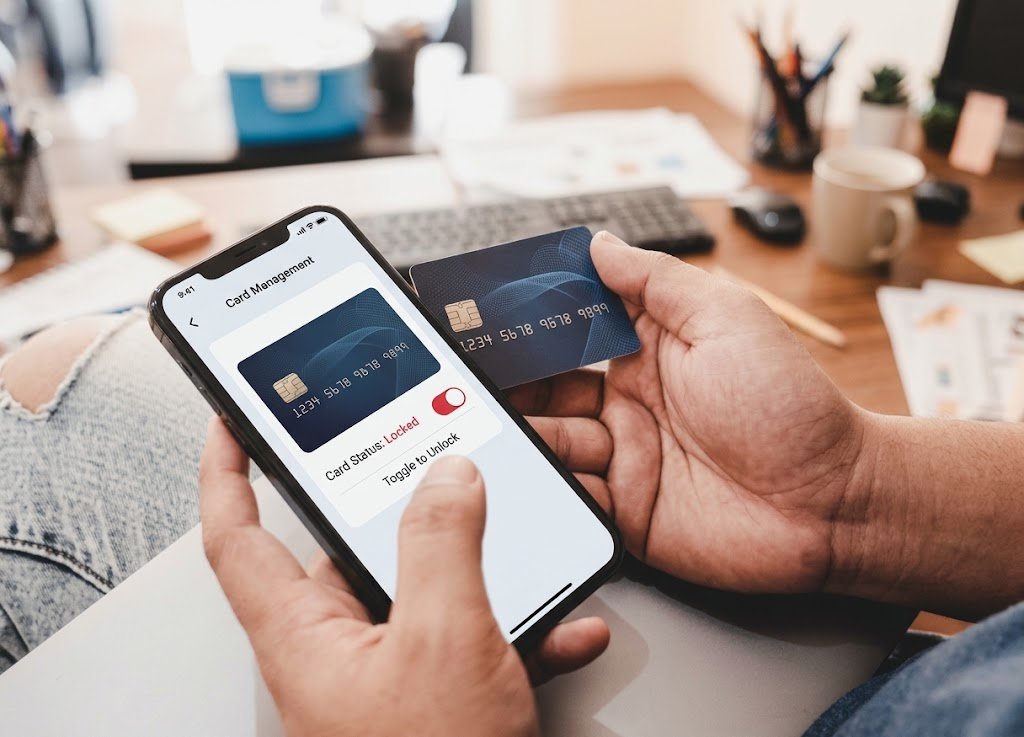
Many card issuers let you switch your card off from their app or website. People call it a lock, a freeze, or a card control. While a lock is on, the issuer blocks new transactions. Switch it off and the card works again. The account stays open, nothing is canceled, and your card number stays the same.
That is very different from the usual reaction to a missing card, which is canceling it and waiting days for a replacement. A credit card lock works like a pause button, and it is made for moments of doubt.
- You can’t find your card and suspect it is in the car.
- You spot one strange charge and want to stop more while you look into it.
- You want an extra layer on a card you rarely use.
- You’re traveling and would like a quick way to shut things down if something goes wrong.
Details differ by issuer. Some locks block every purchase, while others handle recurring payments, refunds, or certain transaction types differently. Before you depend on a lock, find it in your app and read what it covers.
Credit Card Lock vs. Credit Freeze: Know the Difference
The names sound similar, but the two tools guard different things.
A lock controls one existing card. It stops new spending on an account you already have.
A credit freeze, also called a security freeze, controls access to your credit file. The CFPB’s explanation of credit freezes says a freeze prevents prospective creditors from accessing your credit file, which mainly stops someone from opening new accounts in your name. Freezing and unfreezing at the three nationwide credit reporting companies is free. The CFPB also notes that credit locks sold for a fee are no more effective than security freezes.
Here is the quick comparison:
- What it protects: A credit card lock protects an existing card. A freeze protects your credit file from new-account fraud.
- Where you turn it on: A lock lives in your issuer’s app or website. A freeze is requested separately at Equifax, Experian, and TransUnion.
- How fast it is: A lock takes seconds. The CFPB says a freeze requested online or by phone must be placed within one business day.
- What it costs: Nothing, when you use the official tools.
Picture a lock as a guard on the cards in your wallet, and a freeze as a guard on the door to your identity. Each covers a gap the other leaves open.
Why Most People Never Turn It On
If a credit card lock is free and fast, why do so many people skip it? A few reasons come up again and again.
They don’t know it’s there. The toggle often hides under a menu called “security” or “card controls,” so it goes unnoticed.
They assume they’re already covered. There is some truth to that. The CFPB’s page on lost or stolen card rights says that if you report a lost or stolen card before it is used, you can’t be held responsible for unauthorized charges. If the card is used first, the most you will owe is $50, and many cardholder agreements say you owe nothing. If someone uses your account number without your card being lost, you generally have no liability.
That safety net is real, but it only works after something has gone wrong. You still have to notice the problem, report it, dispute the charges, and wait for a new card, which can disrupt your bills and subscriptions. A credit card lock tries to stop the charge before it happens. It also helps to know the common credit card fraud signs so you catch trouble early.
They think it’s a chore. Turning on a lock takes far less effort than a replacement card and a string of phone calls.
How to Set Up a Credit Card Lock Step by Step
You can have this ready in about ten minutes. Work through it in this order.
- Find the lock. Open your issuer’s app or website and look under security, card controls, or card settings. If it isn’t there, ask the issuer whether a lock is available.
- Read what it covers. Check whether it blocks all purchases or only some, and how it treats recurring charges and refunds.
- Try your credit card lock once. Turn it on, confirm the status changes, then turn it off. You want to know it works before the day you need it.
- Turn on transaction alerts. A lock only helps if you notice a problem. Alerts for each purchase, or for larger ones, let you react quickly.
- Plan around subscriptions. A locked card tied to recurring payments could cause declines, so check the rules first. For the card’s own bill, keep paying on time, since this guide on credit card autopay and your credit score explains why missed payments are worth avoiding.
- Reach for it when something feels off. If the card is missing, use your credit card lock first, search calmly, and unlock it if you find the card. If you don’t, report it lost right away, because the CFPB advises reporting as soon as possible.
- Check statements monthly. A lock lowers risk but doesn’t replace looking at your account. If statements confuse you, this guide on how to read a credit card statement explains each section.
- Think about other cardholders. If someone else holds a card on your account, check how each card is handled. This comparison of authorized users and joint account holders explains how those roles differ.
Over time you can settle on a routine. Some people keep a rarely used card locked by default and unlock it only when needed. Others use the lock mainly for travel, lost cards, or suspicious activity. Any of those habits beats never using it.
What a Lock Can’t Protect You From
A credit card lock is useful, but it has limits worth knowing.
- It doesn’t stop identity theft. A criminal who opens a new account in your name never touches your locked card. That is a credit freeze’s job.
- It doesn’t reverse past charges. A lock only blocks new transactions, so anything that already posted still needs to be reported and disputed. This overview of credit card chargebacks vs. refunds explains how disputes work.
- It can’t guard information you give away. If you hand your card number to a scammer, a credit card lock helps only while it is switched on.
- It may miss some transaction types. Depending on your issuer, certain payments or refunds might still go through, so read the fine print.
- It doesn’t replace good habits. Strong passwords, alerts, and regular statement checks still matter.
The strongest approach layers several protections instead of leaning on one.
A Realistic Example of Using a Lock
Here is a hypothetical example, for illustration only. Priya realizes at 9 p.m. that her credit card isn’t in her wallet. She can’t tell whether it slipped out at a restaurant or is sitting in her jacket at home.
She opens her app and switches the credit card lock on in under a minute. Nothing new can be charged while she searches. The next morning she finds the card in her jacket pocket, turns the lock off, and carries on. She skipped the cancellation, the replacement card, and the phone calls.
Now imagine she can’t find it. She reports the card lost. Because she acted before any charges appeared, the CFPB says she wouldn’t be responsible for unauthorized charges. Even if someone had used the card before she reported it, the most she would owe is $50, and many card agreements say nothing at all.
Either way, the lock gave her time and calm, and that is its real value.
Common Mistakes to Avoid
Most trouble with a credit card lock comes from small oversights.
- Confusing a lock with a freeze. They guard different things, so use each where it fits.
- Forgetting to unlock before a trip or big purchase. A declined card at checkout is a hassle you can avoid.
- Locking a card tied to subscriptions without checking. Recurring payments could fail.
- Skipping alerts. Without them, you may not notice misuse until the statement arrives.
- Never testing the switch. You don’t want to hunt for it while worried about a missing card.
- Paying for a “credit lock” service. The CFPB says credit locks sold for a fee are no more effective than free security freezes.
- Relying on a lock alone. Keep reviewing statements and use strong, unique passwords.
- Waiting too long to report a lost card. A lock is a pause. If the card is truly gone, report it promptly.
Practical Takeaways
- A credit card lock pauses an existing card in seconds and is free with many issuers.
- A lock protects one card, while a credit freeze protects your credit file from new accounts.
- Under the CFPB’s guidance, reporting a lost or stolen card before it is used means you aren’t responsible for unauthorized charges, and the most you can owe if it is used first is $50.
- Check your issuer’s rules on recurring payments, refunds, and other transaction types.
- Turn on alerts and review statements every month.
- Test the lock once so you know where the switch is.
- Use both a lock and a freeze for layered protection.
Final Thoughts on Using a Credit Card Lock
Good security rarely looks dramatic. Often it is a switch you flip at the right moment. A credit card lock costs nothing, takes seconds, and buys breathing room when you aren’t sure what happened to your card.
Open your card app today, find the lock, and try it once. Five minutes now can save you hours of stress later.
This article is for educational purposes only and is not personalized financial, tax, or legal advice. Card features and protections vary by issuer, so check your card agreement and consider speaking with a qualified professional about your situation.